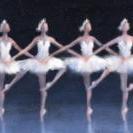
March 12, 20242 yr Pas de sept.pdf Pas de sept.mp3 Hello! It's been a while since I last put something up but here it is! I made this after being inspired to create a ballet fairy tale. I thought to myself "What if I made compositions for this ballet?" although I do not have a track list I have begun to create various songs for certain scenes I have in mind. I'll eventually pick five good ones, and turn it into a Suite. But as of right now I present to you "Pas de sept". Although it's short the piece is designed to incorporate, in ballet terms, 1 soloist and a corps de ballet (other 6 grouped dancers). As you could imagine the solo dancer will have her part probably to showcase the flexibility and graceful movements as the Celesta has his solo. So yeah let me know if this is good at all!
March 12, 20242 yr Hi @Gabriel Carlisle! I think this is quite an inquisitive sounding piece of ballet/incidental music. Just the instruments you chose make it sound like something out of the Nutcracker. It could also be some kind of slow march in the middle of an opera. It has a certain flavor of Final Fantasy 3/6 which I believe the whole thing was conceived as a kind of playable, interactive opera - it even has an opera inside of it! It's a classic if you haven't played it. Thanks for sharing and I'm glad to hear you trying out new things! Peter


Join the conversation
You can post now and register later. If you have an account, sign in now to post with your account.