

Skip to content
View in the app

A better way to browse. Learn more.

Young Composers Music Forum

A full-screen app on your home screen with push notifications, badges and more.

To install this app on iOS and iPadOS
  1. Tap the Share icon in Safari
  2. Scroll the menu and tap Add to Home Screen.
  3. Tap Add in the top-right corner.
To install this app on Android
  1. Tap the 3-dot menu (⋮) in the top-right corner of the browser.
  2. Tap Add to Home screen or Install app.
  3. Confirm by tapping Install.

Kinect Keys (original keyboard composition)
Featured Replies

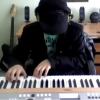
This is an original (mainly keyboard) composition by Yifei Tang (me) If you like the song send me a message and i can send you an mp3 version. Hope u like my playing =DYoutube link: http://www.youtube.com/watch?v=mCvt8l2PkysI played all the instruments in the video and I am currently learning the electric guitar too.This was made using audacity and the keyboard model is YAMAHA DGX-630

Kinect Keys (original keyboard composition)

Holy moly. I know that I should be criticizing this and scrutinizing it for errors and such, but your piece broke the epic barrier. There's nothing that I can say that could possibly improve on your hard work. Well done.

  • Author

Lol thanks a lot for the support icy_bass_clar

Cheers XD

Yifei

Hmm... Do I smell some Robert Miles in here? Nice work mate, good playing too. Only complain I may have is about the drums, they are too soft at times, especially the snare. I had that keyboard once, was a nice piece of gear, had nice keys.

  • Author

Robert Miles? haha i better start listening to his music, people have been telling me its like Maksim, man I love that guys songs, especially Exodus. The drums were sort of made in a rush so I guess that could be improved, also people have been telling me to get rid of the dubstep haha

thx for the comment

yifei

Account

Navigation

Search

Search

Configure browser push notifications

Chrome (Android)
  1. Tap the lock icon next to the address bar.
  2. Tap Permissions → Notifications.
  3. Adjust your preference.
Chrome (Desktop)
  1. Click the padlock icon in the address bar.
  2. Select Site settings.
  3. Find Notifications and adjust your preference.