May 9, 20241 yr This is my finihsed competition piece although I haven’t submitted it yet bc i need to get the score in pdf format. It’s really a single movement but you see timestamps because of the programmatic nature of the music. i also recroded it in pieces just to make it easier on myself performance-wise. It should be playable on any keyboard instrument. Edit: Attaching a pdf score. Edited May 9, 20241 yr by gaspard
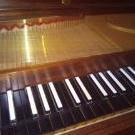
May 20, 20241 yr Hi @gaspard, On 5/9/2024 at 8:17 AM, gaspard said: Edit: Attaching a pdf score. I cannot click into the pdf score, but who needs it when your handwritten is much more elegant than a pdf score! Very nice imitations between different voices. Really like those priests discussing among themselves, or someone emotionally touched by their own speech LoL. The verdict is simpler in texture since it’s direct, the excitement is enhanced by the syncopated rhythm. Nice fugue on the Stoning one, maybe the original meaning of chase is recovered in the fugue! The Virginal is really beautiful btw. Thx for sharing! Definitely feel the narrative in your piece! Henry
May 20, 20241 yr Author @Henry Ng Tsz Kiu thanks, your reviews are something i look forward to whenever i post here. im really glad the narrative structure came through, entertaining interpretations of what’s going on in the story on your part, which is cool because i only had a vague outline of what’s going on myself.


Join the conversation
You can post now and register later. If you have an account, sign in now to post with your account.