January 31, 20251 yr Here are two dinky renaissance keyboard pieces I wrote for some informal/ goofy competitions on various discord servers....in both cases we were given a theme that we were supposed to use.......Feel free to comment anything at all.
February 1, 20251 yr Hi @gaspard, Another two very lovely piece in Renaissance style! Lovely performance too. I have nothing much to add. Thx for sharing. Henry
February 3, 20251 yr Hey @gaspard! I especially like the Melody Almand piece because I was able to follow along with the assigned melody that you were prescribed to use for the challenge: I think it's a great and fun idea to have challenges like this. Perhaps I'll someday write my own set of variations on these little phrases! Thanks for sharing!
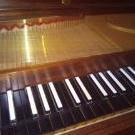
February 3, 20251 yr Your harpsichord is awesome. You post videos of you which is awesome. Your artistic scores are awesome. out of
February 3, 20251 yr Author @PeterthePapercomPoser Thanks - yeah, I liked the melody, which , despite that the competition stated must be used in a dance form, originates from a 16th century plainchant. I actually didn't read all of the rules before I wrote the piece so I kind of just went with the keyboard figurations over a plainchant because that's what it felt like @Henry Ng Tsz Kiu and @Thatguy v2.0 thanks for listening/ watching.


Join the conversation
You can post now and register later. If you have an account, sign in now to post with your account.