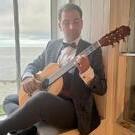
September 14Sep 14 Evening,I've decided to come out of my comfort zone and, today, compose for my primary instrument, which is the classical guitar. I have played since 9 but in recent years have lost touch with it; but I have recently picked it up again and it has been giving me a new lease for life.Of course, it will be great to play my own music and this is my intention.Composing for the guitar has added difficulties owing to the layout of the fretboard. In addition, one must work out at which position of the fretboard certain passages should be played. If, for example, I tried to play this music up to fret 7 only, there would be a lot of awkward jumping around that isn't practical. On the score, I have added numbers beside certain notes which fingers should play them. The circular numbers above the stave denote the position I have determined.The next task will be to learn to play it at a reasonable standard. Once I have done, I will endeavor to upload my performance to this thread.This piece is largely baroque in style with some hints of classical, too. I have written it mostly in two parts, due to the speed and my intention to play it (I am not virtuosic!).In terms of my influences, I have been listening a lot to Bach's Keyboard Suites lately. I love his 3/8 movements (for example, the prelude for BWV 808.Soundtrack.mp3 Score.pdf Edited September 15Sep 15 by Markus Boyd Revision to the music
September 16Sep 16 Hello @Markus Boyd,thanks for sharing this beautiful baroque inspired prelude for acoustic guitar!On 9/14/2026 at 10:23 PM, Markus Boyd said:Composing for the guitar has added difficulties owing to the layout of the fretboard. In addition, one must work out at which position of the fretboard certain passages should be played. If, for example, I tried to play this music up to fret 7 only, there would be a lot of awkward jumping around that isn't practical. On the score, I have added numbers beside certain notes which fingers should play them. The circular numbers above the stave denote the position I have determined.Congratulations for the good scoring. Unfortunately, I had needed this a few weeks earlier, since I also featured an acoustic guitar in my last composition (for the ongoing 2026 Summer Competition). I hope that I did not cause many playability issues there, since the part is mostly single-voiced.On 9/14/2026 at 10:23 PM, Markus Boyd said:The next task will be to learn to play it at a reasonable standard. Once I have done, I will endeavor to upload my performance to this thread.That would be great, already excited.On 9/14/2026 at 10:23 PM, Markus Boyd said:In terms of my influences, I have been listening a lot to Bach's Keyboard Suites lately. I love his 3/8 movements (for example, the prelude for BWV 808.Yes, pieces in 3/8 are wonderful for their beautiful and thriving character, but that meter has – in my opinion - always the inherent danger from constantly listening as „hum-ta-taa, hum-ta-taa, hum-ta-taa“. There are a number of recordings of, for example, the opening choir and the choir „Herrscher des Himmels“ from Bach’s Christmas Oratorio, which suffer from that problem to be as rhythmically monotonous, regardless of the tempo. However, in your prelude this is not the case, perhaps since the repeated staccato eights are (wisely) used sparsely.
September 17Sep 17 Author 12 hours ago, Wieland Handke said:Yes, pieces in 3/8 are wonderful for their beautiful and thriving character, but that meter has – in my opinion - always the inherent danger from constantly listening as „hum-ta-taa, hum-ta-taa, hum-ta-taa“. There are a number of recordings of, for example, the opening choir and the choir „Herrscher des Himmels“ from Bach’s Christmas Oratorio, which suffer from that problem to be as rhythmically monotonous, regardless of the tempo.Exactly! Some of the best chorus' of Bach's festive cantatas, with the splendor of the full baroque orchestra, are in 3/8. I personally recommend that of Vereinigte Zwietracht der wechselnden Saiten, BWV 207, for which he reused the first movement from his Brandenburg Concerto no 1. Such clever stuff! I listen to it while working out in the gym... I must be the only one in the world doing that 🤣
September 17Sep 17 1 hour ago, Markus Boyd said:I listen to it while working out in the gym... I must be the only one in the world doing that 🤣Haha... well I've listened to Mahler's second symphony while working out at the gym, so there! The prelude for guitar is lovely, by the way! It reminds me a bit of Scarlatti, though maybe it's because of my lack of exposure to this particular style. Edited September 17Sep 17 by CrystalCanon
September 18Sep 18 Hey Markus,I really enjoyed this. The rhythms, tempo and beat all worked together to give it a definite dance feel. There were moments I was reminded of Sylvius Weiss. And I could hear that baroque-to-classical styles. Still, it is very coherent. It certainly has drive and direction. Really tight composing, I'd say.It's a prelude....will there be more? A whole suite?BRS


Join the conversation
You can post now and register later. If you have an account, sign in now to post with your account.