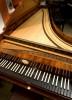
October 11, 201015 yr A versetto, or very short prelude. I'll probably write more of these, and then give the set an opus number. Versetto
October 13, 201015 yr Ok, because you are such a close friend of Gould (obviously), I won't go into this no-score thing... But you should definitely upload scores :P. This was too short for me to comment on. It sounds kind of authentic (apart from the uneven played runs), and it was by no means bad I believe. So, if this was what you wanted to accomplish: good job :) I think this would indeed be more successfull if you upload several of these versettos in one upload, so please do.
October 13, 201015 yr Author Ok, because you are such a close friend of Gould (obviously), I won't go into this no-score thing... But you should definitely upload scores :P. This was too short for me to comment on. It sounds kind of authentic (apart from the uneven played runs), and it was by no means bad I believe. So, if this was what you wanted to accomplish: good job :) I think this would indeed be more successfull if you upload several of these versettos in one upload, so please do. Yes, It really is too short and insignificant to comment on. I plan on uploading more of these as they come to me. As for a score, I'll try to upload one as soon as Young Composers fixes the bug (which I'm assuming is the reason the score will not upload). Thank you for the feedback :)!