Skip to content
View in the app

A better way to browse. Learn more.

Young Composers Music Forum

A full-screen app on your home screen with push notifications, badges and more.

To install this app on iOS and iPadOS
  1. Tap the Share icon in Safari
  2. Scroll the menu and tap Add to Home Screen.
  3. Tap Add in the top-right corner.
To install this app on Android
  1. Tap the 3-dot menu (⋮) in the top-right corner of the browser.
  2. Tap Add to Home screen or Install app.
  3. Confirm by tapping Install.

Diamond Roses

Featured Replies

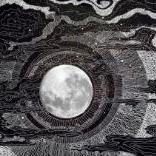
A piece I made with the torment of questionable moments and anguish of unanswered questions in my mind. 


its nice, kind of expands on a cliche chord change though. I think since you're beginning you picked up that harmonic movement from film music unconsciously with your ear. You have a natural talent, though you could greatly expand and this is the right place to do that. Good luck to you

  • Author

I appreciate that Left.  I agree that I may have just unintentionally borrowed the chord progression, but I'm glad you think it's nice.  I've picked up a few tricks in my time making music, and am proud of what I'm doing now.  Thank you for your feedback.  I look forward to learning and growing with you all.

Join the conversation

You can post now and register later. If you have an account, sign in now to post with your account.

Guest
Unfortunately, your content contains terms that we do not allow. Please edit your content to remove the highlighted words below.
Reply to this topic...

Account

Navigation

Search

Search

Configure browser push notifications

Chrome (Android)
  1. Tap the lock icon next to the address bar.
  2. Tap Permissions → Notifications.
  3. Adjust your preference.
Chrome (Desktop)
  1. Click the padlock icon in the address bar.
  2. Select Site settings.
  3. Find Notifications and adjust your preference.