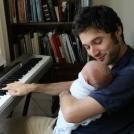
April 22, 20179 yr This piece is called Jack's Song, composed shortly after the birth of my son. Having is a child is one of the most transformative experiences one can go through in life. This music is a reflection of all the feelings and emotions and self-searching that went on in my head during those first few months as a new father.
April 23, 20179 yr Really beautiful. Probably one of my favorite things on this site. Some rhythms didn't really seem to match the score, but I get that this is supposed to sound a little improvisatory in its execution, so I can understand that. When you resolve to a single augmented 4th tritone, I always feel like something is missing in there... Thing about beaming... you're gonna want to have your left and right hand beat beaming match up a little bit more, though there's nothing technically wrong with how it's written now. I just found it a little confusing at times. Again, great work.
April 23, 20179 yr It's better, than most of music from this site. Some keystroke I feel too hard, too tough.


Join the conversation
You can post now and register later. If you have an account, sign in now to post with your account.