March 11, 20188 yr In Persian language, Haraas (Persian : هراس) means "fear". I'm a big fan of horror music and after listening to lots of "Funeral Doom" and "Witch House" music, I decided to write a piece myself. I studied horror elements again and started writing this piece. I really like the result, because it has the sense of "endless" fear, in a dark and cold jungle. You know, it's like when you see a victorian building in middle of jungle and when you decide to enter the building, you got surprised by looking at something weird, creepy or scary. Such as an unknown monster, an alien, a jinn (you know jinns are very popular in middle eastern horror stories!), or even a person whom got killed in a brutal way and it makes you scream and escape! DAW : FL Studio VST FX : Blackhole Reverb, Fruity Reverb, Fruity Parametric EQ2, Fruity Compressor, Fruity Limiter VST Instruments : Addictive Keys, Native Instrument Symphony Essentials (Bass & Violin) , FPC (HQ Rock Kit), DX7 (Pads), Vital Mallets (Bells), 8Dio Free Angels (Rain Samples)
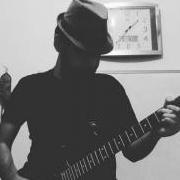
March 26, 20188 yr Author I'm thinking of adding some guitar riffs to a backing track similar to this one. I think it'll make it a "Funeral Doom" song. What's your opinion?


Join the conversation
You can post now and register later. If you have an account, sign in now to post with your account.