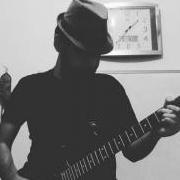
May 14, 20188 yr I'm sure most of you guys know about my post-rock band "Mangrove Lake Swans". The Last single I was published, called "Far away in the dark". It was my first post-rock track and I'm sure I can be much better in this genre. Now, I would like to post second single track of my one-man-band here to know your opinions about it. This is my bandcamp link : https://mangrovelakeswans.bandcamp.com/track/moonlight And song details : DAW : FL Studio Instrument : Ibanez iJRG200u VST Instruments : Addictive Keys (Grand piano preset) , FPC Drums VST FX : Fruity Reeverb 2, Blackhole Reverb, Guitar Gadgets (Niagra Falls preset), Fruity Delay, Fruity Parametric EQ2 I also posted piano part notes!
May 15, 20188 yr Hi, I like the "dirty sounds" that you use here. I think it's a good rendition to that reminiscence of the moonlight sonata. Most important is the atmosphere you create. It's dark, ¿scary?, romantic?... I like it.


Join the conversation
You can post now and register later. If you have an account, sign in now to post with your account.