

Leaderboard
-
last life
Old Members1Points494Posts -
Peter_W.
Old Members1Points1,353Posts -
charliep123
Old Members-2Points429Posts


Popular Content
Showing content with the highest reputation on 08/01/2010 in all areas
-
1 point
-
1 point
-
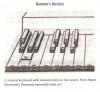
-1 pointsI give players a tuning system, a way to produce that system (fingering charts, etc.), a way to play back and listen to the tuning, and tips on learning the intonation. It works out. I get the microtones I ask for. And, by the way, students have done my pieces. And played what I wanted. Agreed.-1 points
-
-1 pointsYeah, it would be great. But there isn't really anyone else on this site that would be able to do it (that I know of). And I don't know that I have the time to write up long-winded discussions of microtonal history, theory, application, performance, etc. Nor do I know if there is really much interest in the forums. Plus I already gave up the whole teaching thing here! That being said, I will again say that I am more than happy to help or discuss the topic of tuning/intonation/microtonality/etc. with anyone interested. Just send me a message. Who knows, if I get a lot of PMs I'll start a thread for it.-1 points