

Leaderboard
-
JordanRoberts
Members1Points70Posts
Popular Content
Showing content with the highest reputation on 03/23/2022 in all areas
-
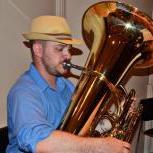
1 pointHi there! I have a performance coming up with the trumpet ensemble of the 126th Army Band, and since we have some doublers (one also plays horn, one plays euph, and I am actually a tubist), I decided to include those as well. I also recently built a subcontrabass trumpet seen below, so I figured this would be a fun opportunity to try it out. For the music itself, I wanted to create something with a relatively standard fanfare feel, but using some chords more commonly found in neo-soul music (min 11s and Maj 9s) to represent the area where we are stationed (Grand Rapids area) which is very hip and modern. I recorded all the parts and a multitrack video is coming soon!1 point