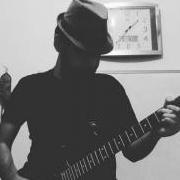
May 13, 20187 yr Finally I made my first song using my Laud (Spanish Lute?). I'm heavily inspired by Lute player "Jozef van Wissem" and how he goes in a duet with legendary director "Jim Jarmusch". Actually, I tried so hard to keep this track close to soundtracks of the movie "Only Lovers Left Alive". Hope you enjoy! DAW : FL Studio Instruments : Laud, Ibanez iJRG200u VST Instruments : FPC Drums VST FX : Fruity Compressor, Fruity Parametric EQ2, Fruity Reeverb, Blackhole Reverb
May 13, 20187 yr Wow, this sound ancient and modern. Ancient because of the lute and modern because of the broken rhythms. I like the way you add instruments. It's good.
May 13, 20187 yr Author 4 hours ago, Luis Hernández said: Wow, this sound ancient and modern. Ancient because of the lute and modern because of the broken rhythms. I like the way you add instruments. It's good. Actually I wanted all parts to be on time and rhythm. But, I found they sound better this way, then I didn't quantize recordings 😄 And thanks for your kind comment ❤️


Join the conversation
You can post now and register later. If you have an account, sign in now to post with your account.